
New Audio Guidance for Workbook Practices
August 28, 2025
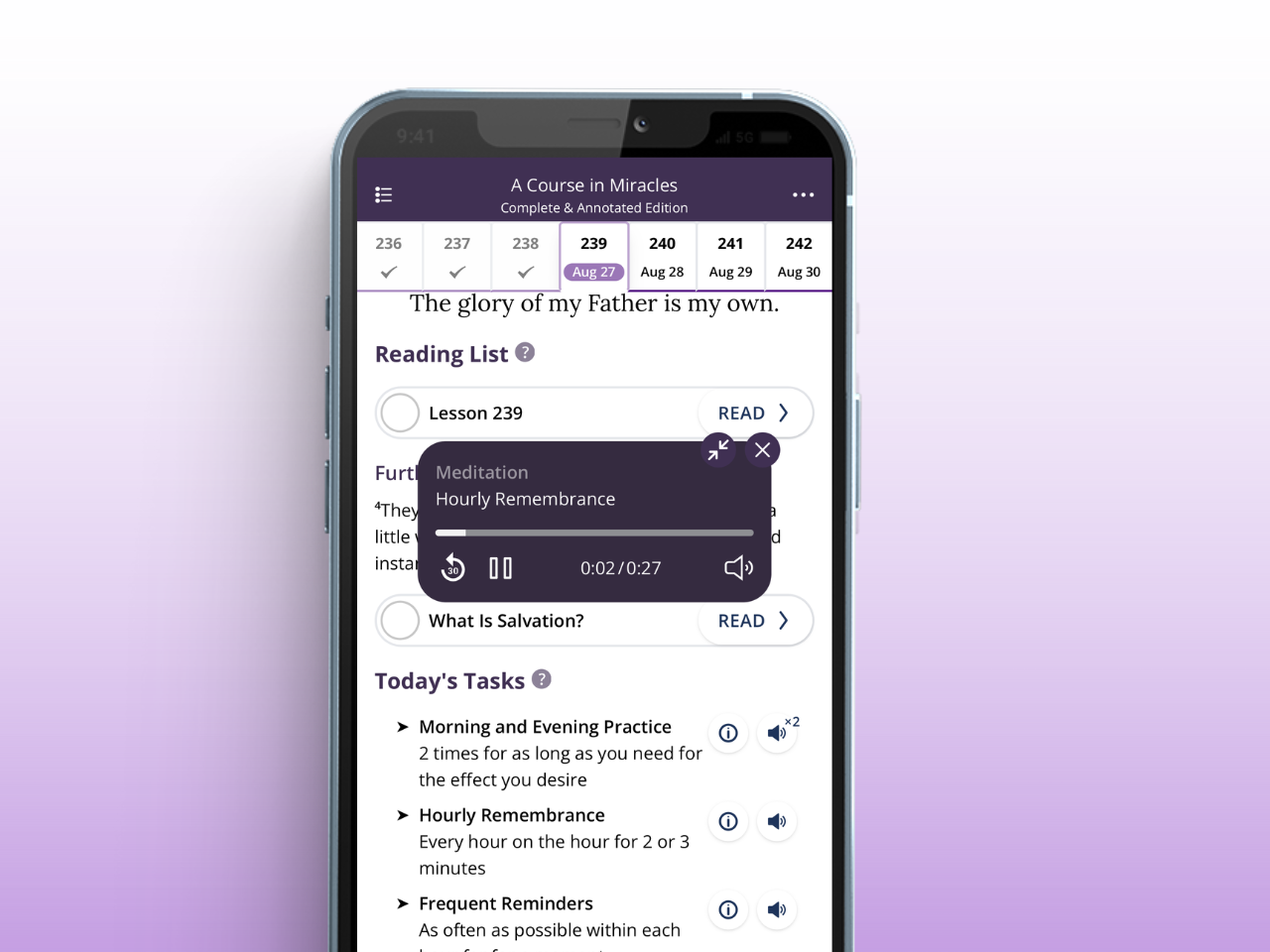
We’re excited to share a new enhancement to the Workbook Practice Module in the ACIM Complete and Annotated Edition App!
Now, when you open your daily Workbook lesson in the Workbook Practice Module, you’ll see speaker icons next to your practice tasks for the day. Tap them to listen to professionally recorded practice instructions, read by Mary Anne Buchowski. (Internet connection required.)
Why this matters for your practice
- No need to memorize instructions: Instead of checking back to the lesson, you can simply listen to what you need to do, right in the moment.
- Enhances your practice: Having the guidance read aloud can help you stay focused, go deeper, and make the most of the Workbook’s powerful lessons.
- Keeps you on track: Whether you’re in your morning practice, hourly remembrance, or a frequent reminder, the app now makes it easier to stay consistent.
- Completely free: The app remains free to all, and this new feature comes at no charge—even though it has taken a great deal of time and resources to produce.
We hope this new addition supports you in bringing more structure, ease, and depth to your Workbook journey.
If you find value in the app and would like to support this and other features, please consider making a regular donation. Every gift helps us continue to keep the app free to use and as accessible as possible.
2 comments on “New Audio Guidance for Workbook Practices”
Leave a Reply
Copyright 2026 Circle of Atonement
Just downloaded app.
Not sure how to access text and sync with workbook for daily reading and practice
Hi Thomas, the Text and the Workbook are independent volumes. If you want to both read the Text and practice the Workbook, I'd recommend using the "Read" module for the Text, and the "Practice" module for the Workbook.
Generally, at the Circle of Atonement, we recommend picking one volume to concentrate on at a time, so you can really do justice to the one you pick, but of course it's up to you.
If you're not sure how to do something, you can click the three dot menu (top right of screen) to access the User Guide & Tips. Or leave another comment and we'll be happy to help.